

Opening an account at Rhino Betting should be straightforward, but UK players should take a moment to check the site’s terms, licensing information and available services before sharing personal details. Registration is only the first step: identity checks, age verification and payment rules can affect when you can deposit or withdraw. This guide walks through the process and explains what to review along the way.
Before you register
First, confirm that Rhino Betting is currently authorised to accept customers in Great Britain. Use the UK Gambling Commission’s public register to check the operator’s legal name and licence status rather than relying on a logo or an advertisement. If the site does not clearly identify its operating company and licensing arrangements, do not enter payment information.
You must be at least 18 to gamble in the UK. Registration details should be accurate and match your identity documents and payment account. Operators may use electronic checks or request documents to confirm your name, date of birth, address and source of funds. These are routine compliance measures, not a guarantee that an account will be approved.
Have these details ready
- Your legal name, date of birth and current UK address.
- An email address and mobile number you can access.
- A strong, unique password that you do not use on other websites.
- A payment method in your own name, if you decide to deposit.
- Identity or address documents, in case verification is requested.
Rhino account registration: step by step
Visit the verified website
Navigate to the operator’s official website by typing its address yourself or using a trusted bookmark. Check the spelling and security of the address bar. Avoid sponsored links, unsolicited messages and mirror domains that imitate a familiar brand. A secure connection alone does not prove that a gambling site is legitimate, so check the company and licence independently.
Select the registration option
Choose the button labelled “Register”, “Join” or similar. The site may ask you to select a country of residence before showing the form. If the United Kingdom is not listed, do not choose another country to get around the restriction. Providing a false location can lead to account closure and withheld funds under the operator’s terms.
Enter your personal information
Complete each required field carefully. Use the name shown on your official documents, enter your real date of birth and provide your current residential address. Typos can delay verification or cause a mismatch when you request a withdrawal. If you have recently moved, use the address where you currently live and update the operator if it changes later;
Set account credentials and preferences
Create a long, unique password and store it securely. If two-factor authentication is available, enable it. Review marketing permissions separately from account notices: promotional emails and texts should not be necessary for essential security communications. You can usually change marketing preferences in your account settings or by following an unsubscribe link.
Read the terms before submitting
Check the operator’s terms, privacy notice, complaints process and responsible gambling tools. If a welcome promotion is offered, read its conditions before opting in or making a deposit. Pay particular attention to eligibility, minimum deposit, qualifying games, expiry dates, withdrawal restrictions and any wagering requirements. Do not assume that the headline value describes how easy it is to withdraw winnings.
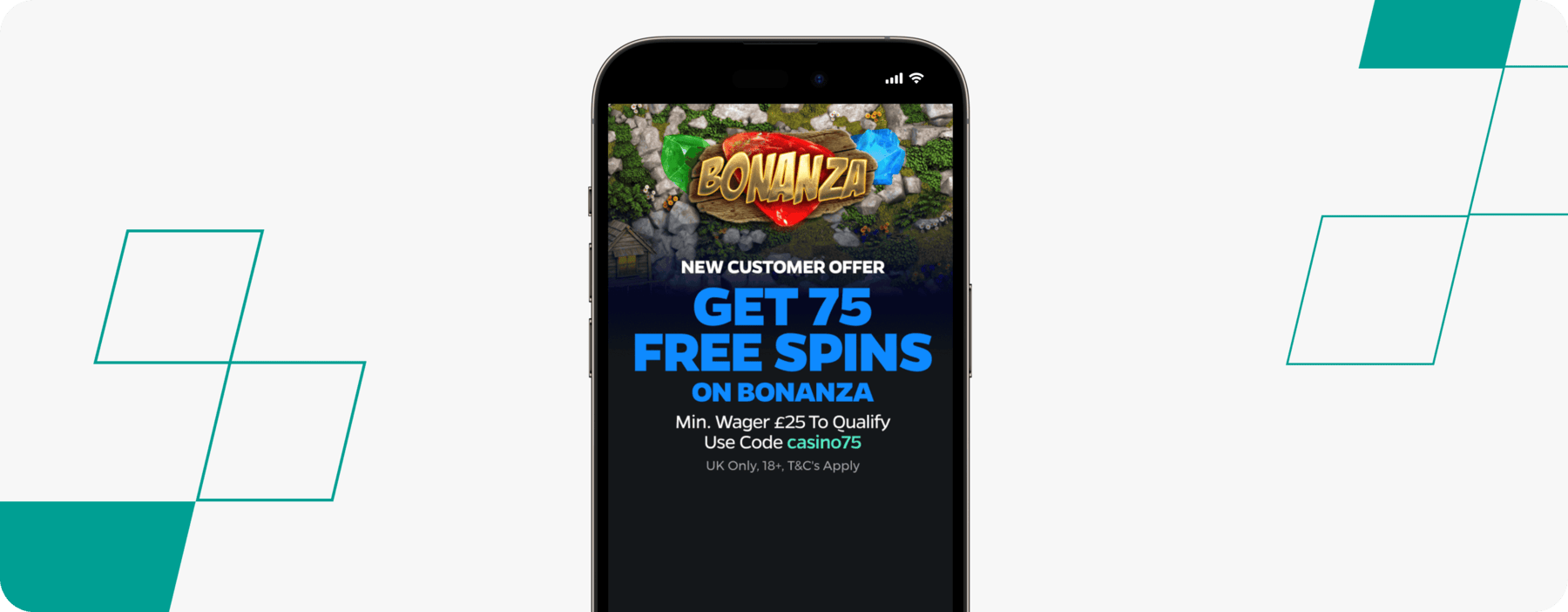
Review the free spins and bonus offer rules before accepting any promotion. Confirm whether the offer is available to UK customers, whether you must enter a code, and what happens if you withdraw before completing the stated conditions. If the wording is unclear or the terms conflict with the promotion page, ask support for clarification and keep a copy of the answer.
Confirm your email or mobile number
The site may send a verification link or one-time code. Use it only on the official site or app, and never share a one-time code with someone claiming to be customer support. If the message does not arrive, check your spam folder and confirm that the contact details were entered correctly before requesting another code.
Complete any identity checks
An operator may verify some details automatically or request documents before allowing deposits, withdrawals or continued play. Follow the instructions in your account and submit clear, unaltered images through the site’s secure verification channel. Do not send identity documents through social media or an email address you have not verified. Processing times vary, and support should be able to explain what is outstanding.
Set limits before depositing
Look for tools such as deposit limits, time-outs, reality checks and self-exclusion. Consider setting a limit before you make a first deposit, not after a loss. Gambling should be treated as paid entertainment, never a way to make income or recover money. Do not gamble with borrowed money or funds needed for bills.
What to check after opening an account
Once registration is complete, inspect your profile for incorrect details and review the security settings. Keep a record of deposits and withdrawals, and use only payment methods that belong to you. The cashier should explain minimum and maximum transaction amounts, fees, processing estimates and any verification requirements. A displayed estimate is not a promise that a payment will arrive at an exact time.
Before playing, read the rules for the specific product you intend to use. If Rhino offers casino games as well as sports betting, the products can have different terms, limits and risk profiles. For any casino game, check its paytable and rules inside the game. A demo mode, if offered, can help you understand the interface, but it does not predict real-money results or improve the odds.
Common registration problems
Details do not match
A difference between the registration form and your documents can trigger a review. Check spelling, house numbers and postcode carefully. If your legal name has changed, contact support and ask which evidence is needed rather than creating a second account.
Verification is taking longer than expected
Check the account inbox for a request for clearer documents or additional information. Make sure files are readable and show all required corners. Avoid repeatedly uploading different versions without instructions, as this can make the review harder to follow. Ask support for the reason for a delay and an expected next step.
A deposit is declined
Confirm that the payment method is supported, belongs to you and has sufficient funds. Your bank may block gambling transactions or require an additional authorisation. Contact the bank or payment provider if necessary; do not try to bypass restrictions with another person’s card or account. Check the site’s terms before attempting another payment.
Questions and answers
Can I register if I live in the UK?
That depends on whether the operator currently accepts UK customers and is appropriately authorised. Check its current licence and eligibility terms before registering. Availability can change, so an old review or search result is not definitive.
What documents might Rhino request?
Depending on the checks required, the operator may ask for proof of identity, address or payment ownership. The exact documents and acceptable formats should be stated in the verification request. Submit only what is requested through a secure, official channel.
Can I open more than one account?
Do not create another account to solve a login or verification issue. Many operators restrict customers to one account, and duplicate registrations may breach the terms. Use the password recovery process or contact support to regain access.
Should I deposit immediately after registration?
No. You can review the account, terms, support options and available safer-gambling controls first. Deposit only if you understand the conditions and can afford to lose the amount. Never treat a promotion as a reason to spend more than planned.
Safer gambling and account control
Registration gives you access to an account; it does not make gambling risk-free. Set a realistic spending limit, take breaks and stop if gambling is affecting your finances, mood or relationships. If you need a break, use the operator’s time-out or self-exclusion tools. In Great Britain, GAMSTOP can block access to online gambling sites licensed by the UK Gambling Commission. You can also contact the National Gambling Helpline through GamCare for confidential support.
If you believe an account decision or payment has been handled incorrectly, first use the operator’s formal complaints process and keep copies of relevant messages. The site should explain how to escalate an unresolved complaint, including whether an independent alternative dispute resolution service is available. For licensing concerns, consult the UK Gambling Commission’s official guidance.
Final checklist
- Verify the operator’s identity, UK eligibility and licence status.
- Enter accurate personal details and protect your password.
- Read the terms, privacy notice and promotion conditions before opting in.
- Complete verification through the official, secure channel.
- Set spending and time limits before playing, and use support tools when needed.
A careful registration takes a little longer than rushing through a form, but it can help prevent avoidable account problems. If any licensing detail, offer condition or payment rule is unclear, pause and ask for written clarification before depositing or wagering.